
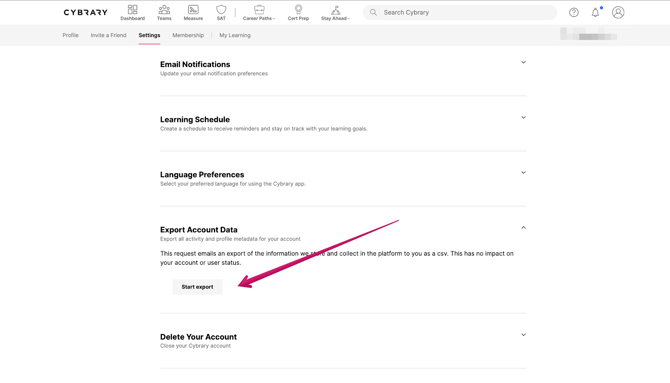
If you're looking for your user data, you can find that option near the bottom of the Account Settings. page. Expand the option for Export Account Data and click Start Export.
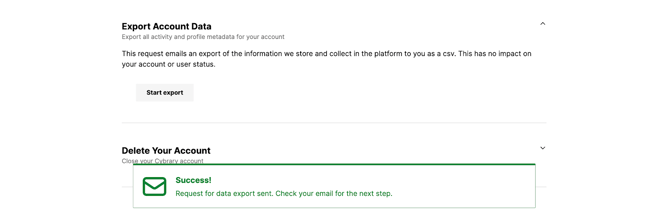
If the export request is successful, you'll see a green banner at the bottom of the screen that the export request has been sent and to refer to your email account. This will go to the email address on file (either the one used to create account or, if you have one or more verified recovery emails in your account, your primary email).
If you receive an error when clicking Start Export, please reach out to our Support Team at support@Cybrary.it for assistance.
You'll receive an email from Cybrary which will prompt you to Download Personal Data Report. By clicking, you will be redirected back to Cybrary and a download for an .xlsx file will automatically start. This can be opened with any spreadsheet application, like Excel or Google Sheets.
Once you've opened the file, there will be two tabs: the first tab includes your Personal Data, such as your registration and profile information, and the second tab consists of your Learning Data. There you will find any applicable enrollment information listed by Activity Title, Course Title, Date Started, Date Completed, Learning Hours, Score, and Progress by percentage.
Please note: you may find duplicates in your Learning Data. This is due to pieces of course content, like virtual labs, appearing in multiple learning paths, paths that have been updated and re-categorized, as well as material that may have been taken multiple times. Be sure to cross-reference these Activity Titles with your In Progress and Completed enrollments in your My Learning Dashboard as well as with your Certificates of Completion, available in your Profile.