
Are you looking to update your email preferences? Follow the instructions below!
If you no longer wish to receive emails from Cybrary, you can update your email preferences by visiting your account settings at any time.
To opt-out of emails, please follow the instructions below:
- Click your Profile avatar in the top right-hand screen of the platform
- Select Settings
- Scroll down to Email Subscription where you can choose to Opt Out of the Cybrary mailing list
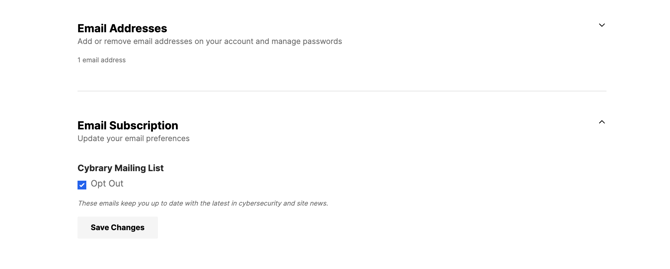
You can also click unsubscribe at the bottom of any of our promotions emails.
Please note: with an active registered account, you will continue to receive notifications related to your account, subscription, enrollments, and any other communication deemed legally necessary.
If you require further assistance, please contact support@cybrary.it as we are more than happy to help!